-
Gujarat, India
- info@icontechnology.in
- 24/7 Customer Support
Gujarat, India
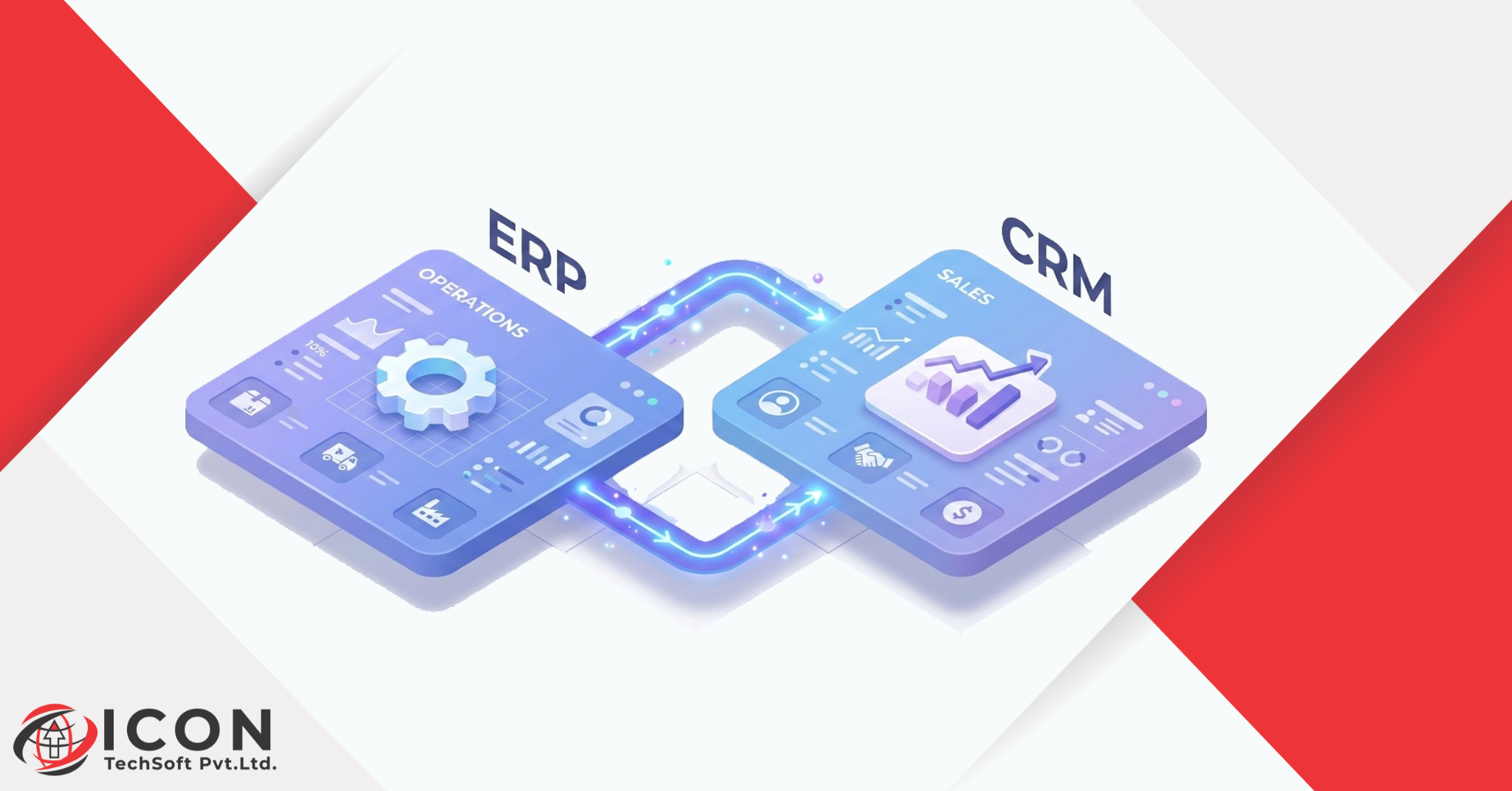
ERP systems are essential for modern businesses that depend on data, speed, and collaboration. However, many organizations still run their sales and operations using disconnected systems. One team uses spreadsheets for customer tracking, another uses accounting software, and yet another tracks inventory separately. When tools operate independently, confusion and inefficiency quickly follow.
This is where ERP, CRM, integration becomes essential.
Without connecting systems, businesses often face a serious gap between sales and operations. Sales teams promise delivery dates without knowing actual inventory. Operations teams struggle to fulfill orders because they lack updated customer data. Management tries to generate reports, but the information is scattered across different platforms.
The result is simple: slower decision-making, frustrated teams, and missed business opportunities.
In many companies, the sales department focuses on acquiring customers and closing deals, while operations handle production, inventory, and delivery. When these departments use different software systems, information doesn’t flow properly.
For example:
This gap creates delays and errors that directly affect business performance.
Businesses grow quickly when information flows smoothly. However, when systems are disconnected, employees waste time searching for data or manually transferring information between tools.
Common issues include:
These problems reduce productivity and limit scalability.
Connecting systems through ERP, CRM, integration helps businesses eliminate these challenges. Integration allows different platforms to communicate automatically, ensuring that data stays consistent across departments.
When ERP and CRM systems work together:
In short, integration transforms disconnected processes into a single streamlined workflow.
Enterprise Resource Planning, commonly known as ERP, is a software system designed to manage the core operations of a business. It acts as a central hub that connects multiple departments such as finance, inventory, procurement, and production.
Instead of using separate tools for each function, an ERP system consolidates everything into one platform.
An ERP system typically includes modules for:
These modules allow businesses to track and manage operations from a single dashboard.
ERP systems work by centralizing data and automating workflows. For example, when a purchase order is created, the ERP system automatically updates inventory levels and financial records.
This automation reduces manual tasks and improves accuracy.
Consider a manufacturing company. Without ERP, they may track inventory in spreadsheets and accounting in separate software. With ERP, inventory updates automatically reflect in financial reports and production schedules.
As businesses grow, managing operations manually becomes difficult. More orders, customers, and employees mean more complexity.
ERP systems help businesses scale by:
This is why many organizations adopt ERP solutions when they begin expanding.
While ERP focuses on operations, CRM (Customer Relationship Management) focuses on customers.
CRM software helps businesses manage customer interactions, track leads, and improve sales performance.
CRM systems store and organize customer information, including:
Sales teams use CRM to manage relationships and ensure that every potential customer receives proper follow-up.
Choosing the best CRM software helps businesses maintain strong customer relationships and close more deals.
A good CRM system allows companies to:
With CRM software, businesses gain better visibility into customer behavior and preferences.
CRM systems provide valuable insights that help sales teams work more efficiently.
For example:
This structured approach leads to higher conversion rates and improved customer satisfaction.
Many businesses often confuse ERP and CRM systems. While both are essential business tools, they serve different purposes.
Understanding the erp vs crm difference helps organizations choose the right solution.
| Feature | ERP | CRM |
| Main Focus | Business operations | Customer relationships |
| Users | Operations, finance, supply chain | Sales, marketing, support |
| Data Managed | Inventory, accounting, procurement | Leads, contacts, interactions |
| Goal | Operational efficiency | Customer engagement |
ERP systems are primarily designed to manage internal processes. They ensure that operations run smoothly and resources are used efficiently.
CRM systems, on the other hand, focus on external relationships. They help businesses attract, manage, and retain customers.
The confusion occurs because both systems manage business data and sometimes share overlapping features.
However, their core purposes remain different.
ERP manages operations, while CRM manages customer interactions.
Small businesses may start with CRM to manage leads and customers.
As they grow and operational complexity increases, they adopt ERP systems.
Eventually, many companies realize that combining both systems through ERP, CRM, integration provides the best results.
ERP + CRM integration refers to connecting these two systems so they can share information automatically.
Instead of operating independently, both platforms work together as a unified system.
Integration simply means linking different software applications so they can communicate with each other.
When ERP and CRM are integrated:
Modern crm erp software solutions combine customer management and operational management into a single platform.
This allows businesses to track the entire customer journey-from lead generation to order fulfillment.
For example:
Imagine a customer places an order with your company.
With integrated systems:
This seamless workflow eliminates delays and manual data entry.
Businesses that implement ERP, CRM, integration experience significant improvements in efficiency and decision-making.
Integration ensures that customer data remains consistent across departments.
Sales, support, and finance teams can all access the same customer information.
This improves communication and reduces errors.
Integrated systems provide accurate sales data combined with operational insights.
Managers can forecast demand more effectively and plan inventory accordingly.
When teams share a unified platform, collaboration becomes easier.
Sales teams can coordinate with operations, finance can monitor revenue, and support teams can access order histories.
One of the biggest advantages of integration is real-time reporting.
Managers can analyze performance metrics instantly without waiting for manual reports.
Automation reduces repetitive tasks such as data entry and order processing.
Employees can focus on strategic activities instead of administrative work.
Small businesses often believe ERP systems are only for large corporations. However, modern crm erp software small business solutions are designed specifically for growing companies.
Small businesses frequently face challenges such as:
These issues slow growth and limit scalability.
Integrated systems help small businesses operate more efficiently.
Benefits include:
These advantages enable small companies to compete with larger organizations.
When selecting small business software, companies should consider scalability and flexibility.
The software should grow alongside the business without requiring constant upgrades or replacements.
Choosing the best crm software with ERP integration requires evaluating several key features.
Automation helps reduce manual tasks such as:
A good system should integrate easily with other tools such as marketing platforms and accounting software.
Clear dashboards allow managers to monitor performance metrics quickly.
Real-time analytics support better decision-making.
The software should support future growth, including additional users, customers, and data.
Businesses can choose between cloud-based solutions and on-premise installations.
Cloud systems offer flexibility and remote access, while on-premise solutions provide greater control over data.
When ERP and CRM systems work together, businesses gain a complete view of their processes.
Integration enables a smooth transition from lead management to invoicing.
Sales teams convert leads into customers, and ERP automatically generates invoices.
Sales orders automatically update inventory levels, preventing overselling or stock shortages.
Support teams can access customer orders, communication history, and payment status in one place.
This improves response time and customer satisfaction.
Managers receive real-time insights into both sales and operational data.
This enables faster and more informed decisions.
Implementing integrated systems requires careful planning.
Start by identifying what your business wants to achieve with integration.
Examples include improving sales visibility or automating operations.
Select software that meets your business requirements and supports integration capabilities.
Plan how existing data will move into the new system.
Clean and organize data before migration to avoid errors.
Employees must understand how to use the new system effectively.
Proper training ensures smooth adoption.
After implementation, monitor system performance and make improvements where necessary.
Many businesses make mistakes when implementing integrated systems.
Selecting a system that cannot handle future growth leads to costly replacements later.
Unorganized data can cause integration failures.
Employees who do not understand the system may resist using it.
Businesses should measure the impact of integration on productivity and revenue.
Technology continues to evolve, and integrated systems are becoming more powerful.
Artificial intelligence will automate more business processes, including customer interactions and predictive analytics.
Advanced dashboards will provide deeper insights and predictive forecasting.
Cloud technology will continue to dominate ERP and CRM implementations due to its flexibility and cost efficiency.
In today’s competitive business environment, companies must operate efficiently while maintaining strong customer relationships.
This is why ERP, CRM, integration has become essential for modern organizations.
ERP systems streamline operations, while CRM systems enhance customer relationships. When integrated, these systems create a unified platform that improves collaboration, automation, and decision-making.
Businesses that adopt integrated solutions gain better visibility into their processes and can respond quickly to market changes.
For growing companies, especially those searching for crm erp software small business solutions, integration is no longer optional – it is a strategic necessity.
If your organization still relies on disconnected tools, now is the time to consider integrated small business software that connects sales and operations seamlessly.
The future belongs to businesses that use technology intelligently, and ERP + CRM integration is a key step toward that future.