-
Gujarat, India
- info@icontechnology.in
- 24/7 Customer Support
Gujarat, India
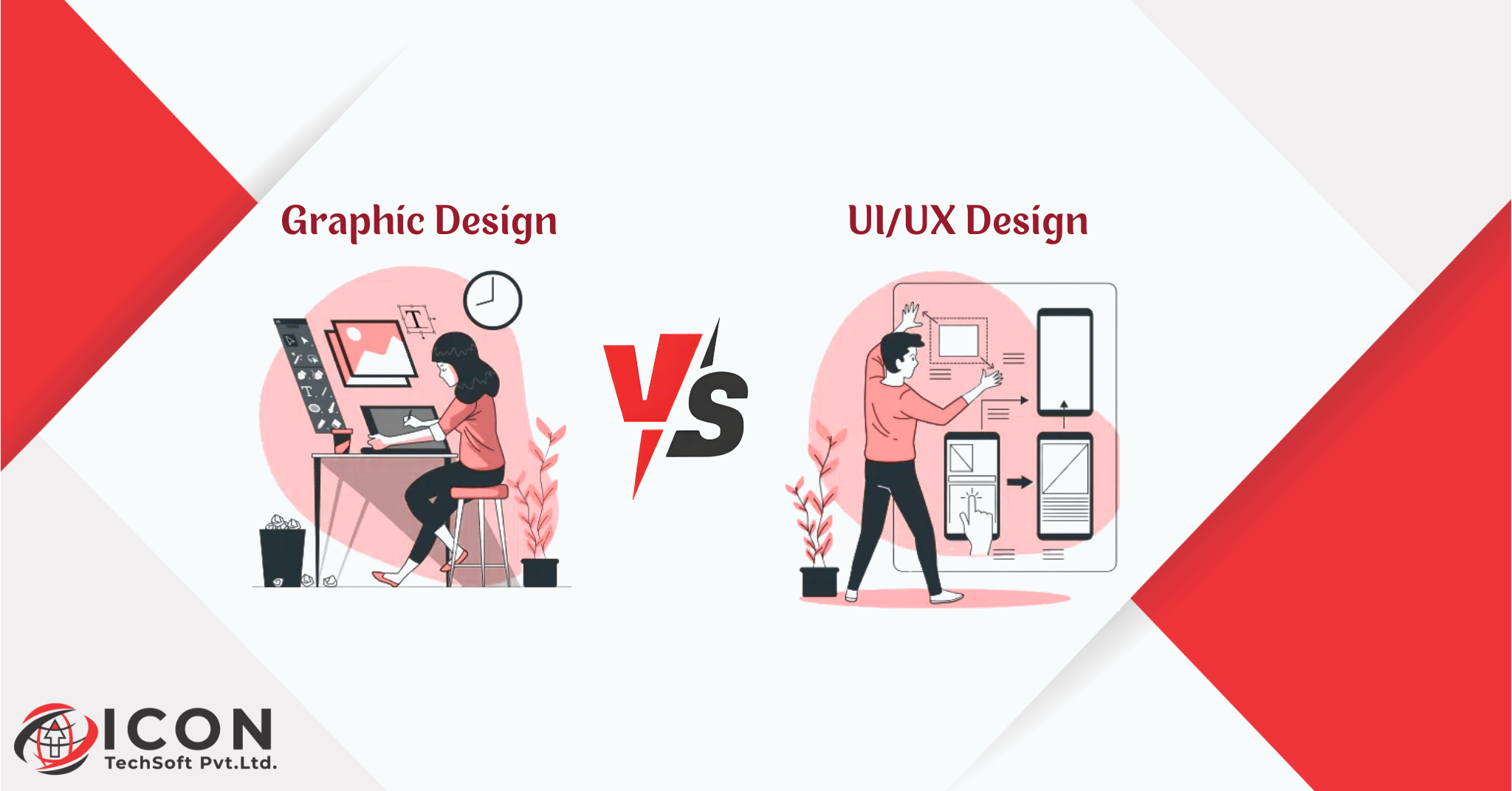
In the dynamic and ever-changing landscape of design, it’s incredibly easy to confuse graphic design with UI/UX design. Both areas rely heavily on creativity, visual elements, and artistic skills, but they tackle entirely different aspects of how people perceive and interact with the world. Grasping the difference between graphic designer and UI/UX designer is not just useful-it’s essential for anyone involved in creating content, running a business, or pursuing a career in design. This in-depth blog will explain everything in straightforward language, showing how graphic design and UI/UX design work together to create impactful experiences in both digital and physical spaces.
Graphic design has a rich history that goes back centuries, from the earliest printed posters to today’s digital ads. It primarily focuses on making visuals that are aesthetically pleasing and effective at conveying messages. UI/UX design, in contrast, is a more recent development driven by technology, concentrating on how users feel and behave when engaging with digital tools. Why is this comparison so important? Many organizations make the mistake of treating these fields as the same, leading to ineffective results. For example, a startup might invest in beautiful logos and graphics for their app, but if the user interface is confusing, customers will uninstall it. That’s where UI/UX design comes in to ensure smooth interactions.
Businesses and creators benefit immensely from understanding this distinction. If you’re launching a new website or product, graphic design can help with branding elements like eye-catching logos, while UI/UX design ensures the experience is user-friendly and efficient. Throughout this post, we’ll discuss essential tools, including Adobe Illustrator for graphic design and various UI/UX design tools for interactive work. We’ll also touch on practical career advice, such as comparing UI/UX designer vs graphic designer salary, to help you choose the right path. By the end of this guide, you’ll have a clear understanding of why these differences matter for success. Let’s start by diving into what each field entails.
To make it even clearer, think of graphic design as the storyteller who paints vivid pictures to captivate an audience. UI/UX design is the guide who ensures the story is easy to follow and enjoyable. When combined, they produce powerful results. If you’re new to design, this blog will break it down without using complex terms, and we’ll include plenty of real-life examples, tips, and insights to keep it engaging.
Graphic design is essentially the practice of combining images, text, and other visual components to communicate ideas in a compelling way. At its heart, the core purpose is to make information more accessible and appealing, turning abstract concepts into something people can see and understand instantly. For instance, a graphic designer might create a promotional poster for a music festival that not only looks stunning but also clearly communicates the event details, dates, and ticket prices. The goals are multifaceted: to grab attention, evoke emotions, build brand loyalty, and ultimately drive actions like purchases or shares.
Key principles underpin every graphic design project and help designers achieve these goals. Typography is a critical one-it’s not just about selecting fonts, but about using them to create a visual hierarchy. For example, a large, bold headline might draw the eye first, while smaller text provides details. Color theory is another cornerstone; designers use colors to influence moods-red for excitement, green for calmness-and ensure they align with the brand. Layout principles involve arranging elements in a balanced way, often using grids or the golden ratio to avoid clutter. Branding brings it all together, ensuring that logos, colors, and styles are consistent across all materials, which helps companies stand out in crowded markets.
Common tools are indispensable for graphic designers to execute their ideas. Adobe Illustrator is particularly powerful for creating vector-based graphics, making it ideal for logo design that needs to look sharp on everything from business cards to billboards. Other popular tools include Photoshop for detailed image editing and InDesign for complex layouts like magazines or brochures. Graphic design spans a wide variety of applications, from print materials like flyers and packaging to digital assets like social media graphics and website banners.
To go even deeper, graphic design often involves thorough research. A designer might analyze target demographics, cultural trends, or competitor styles to inform their work. Collaboration is also key, graphic designers frequently work with marketers, writers, and clients to ensure visuals match the intended message. Current trends, such as minimalist designs or the use of sustainable materials, keep the field fresh. For beginners, experimenting with free tools like Canva or GIMP can be a great starting point. In practice, graphic design solves real-world problems, such as simplifying a complex infographic so that busy readers can absorb the data quickly.
This structured approach makes graphic design rewarding for those who enjoy creative expression and attention to detail. Over time, designers build portfolios that showcase their ability to turn ideas into visual masterpieces.
UI/UX design is a holistic discipline that integrates User Interface (UI) and User Experience (UX) to develop digital products that are both functional and delightful. UI deals with the visual and interactive aspects of screens, such as buttons, menus, and icons, while UX encompasses the broader user journey, including how people feel during interactions. The core role is to address user needs, eliminate frustrations, and create intuitive experiences that keep people coming back.
UI and UX are deeply interconnected. UX designers typically begin by researching users through methods like surveys, interviews, or data analysis to identify pain points. They then create user personas and journey maps to guide decisions. UI designers build on this by applying visual design, selecting colors, fonts, and layouts that support the UX strategy. Key principles include usability-making tasks straightforward-and flow, which ensures users move through processes without getting stuck. Interaction design adds dynamic elements, like animations that confirm actions or provide feedback.
Common UI/UX design tools are essential for bringing ideas to life. Figma is widely used for collaborative prototyping, allowing teams to work together in real-time. Sketch offers precision for detailed designs, and Adobe XD provides seamless integration with other Adobe software. These tools enable designers to create and test prototypes before coding begins, reducing errors and saving resources.
Expanding further, UI/UX design emphasizes accessibility, ensuring products work for everyone, including people with disabilities, by incorporating features like high-contrast modes or keyboard navigation. Designers stay abreast of trends, such as incorporating AI for personalized experiences or designing for mobile-first approaches. In collaborative environments, UI/UX designers work closely with developers, product managers, and marketers. For example, if user testing reveals that a checkout process is too lengthy, the UX team might simplify it, and the UI team would redesign the screens accordingly.
This iterative process makes UI/UX design a blend of art, science, and empathy, leading to products that truly resonate with users. It’s a field that’s constantly evolving, with new tools and methodologies emerging regularly.
The core differences between UI/UX design and graphic design highlight why they are distinct yet complementary fields. The fundamental difference between graphic designer and UI/UX designer revolves around their objectives- graphic design creates static visuals intended to inform, persuade, or entertain, while UI/UX design develops interactive systems focused on user satisfaction and efficiency.
When it comes to process and approach, graphic designers often dive into creative brainstorming and visual refinement, leveraging tools like Adobe Illustrator for logo design. UI/UX designers, however, follow a methodical, research-based approach that includes user testing and data analysis. Design thinking in UI/UX is rooted in empathy and problem-solving, aiming to address real user issues, whereas graphic design prioritizes aesthetic creativity and visual storytelling.
Deliverables also set them apart: graphic designers produce tangible assets like images, PDFs, or prints, while UI/UX designers deliver dynamic prototypes, user flows, and interactive models. Recognizing these differences is vital for project success-mistaking one for the other can result in beautiful but unusable designs.
To elaborate, consider the timelines involved. A graphic design project for a brochure might be completed in days, but a UI/UX project for an app could span months with multiple iterations. Both fields foster innovation, but UI/UX adds layers of strategy and user-centricity. For instance, a graphic designer might create a stunning ad, but a UI/UX designer ensures it integrates seamlessly into a website without causing navigation issues.
Skills for graphic design and UI/UX design overlap in areas like creativity, but they diverge in application and emphasis. Graphic designers shine in artistic creativity, crafting visually striking elements such as logos. UI/UX designers excel in analytical problem-solving, using insights to enhance user experiences.
Design psychology is a major component of UI/UX design, where understanding human behavior helps create intuitive interfaces. Graphic designers focus more on aesthetics, mastering techniques like color blending and composition. Technical knowledge varies: graphic designers rely on Adobe Illustrator for precise graphics, while UI/UX designers use UI/UX design tools for prototyping and testing.
Research skills differ too-UI/UX involves gathering user data, while graphic designers research design trends. Both require strong communication for client interactions.
In greater detail, graphic designers might develop skills in animation for ads, and UI/UX designers could learn basic coding for better collaboration. Portfolios are tailored accordingly: graphic ones highlight visual flair, UI/UX ones demonstrate problem resolution. Soft skills like adaptability are valuable in both, especially in fast-paced industries.
In project settings, the roles of graphic designers and UI/UX designers are clearly defined but often collaborative. Graphic designers contribute by developing branding materials, such as logos designed in Adobe Illustrator, to establish a visual identity.
UI/UX designers focus on the digital experience, using UI/UX design tools to design interfaces and ensure usability. In contemporary teams, they work together seamlessly-graphic designers might provide assets that UI/UX designers integrate into prototypes.
For example, in a website redesign, graphic design handles the overall look, while UI/UX ensures smooth functionality. This partnership maximizes project outcomes.
Real-world examples effectively demonstrate the difference between graphic designer and UI/UX designer. For a website homepage, graphic design creates the logo and imagery to attract visitors, while UI/UX design optimizes the layout for easy navigation and mobile compatibility.
In mobile app interfaces, graphic design styles icons and themes, whereas UI/UX design focuses on user flows, like minimizing steps for tasks. For branding and product packaging, graphic designers emphasize visual appeal, such as attractive labels. If the packaging includes digital elements, like QR codes, UI/UX design ensures they link to user-friendly experiences.
Case study:- The Airbnb website uses graphic design for its logo and photos, but UI/UX design makes booking intuitive. Another example: Amazon’s packaging features graphic design for branding, with UI/UX applied to the app for seamless shopping. These illustrate how the fields combine for comprehensive results.
Understanding the difference between graphic designer and UI/UX designer is crucial for business growth. Effective UI/UX design can increase conversions by simplifying processes, as studies show sites with good UX convert up to 400% better. Graphic design builds strong brand identity through consistent visuals.
UI/UX enhances user engagement and retention by creating enjoyable interactions, while graphic design draws initial attention. Together, they drive digital success and customer loyalty.
Businesses should assess their needs: e-commerce sites might prioritize UI/UX for sales, while marketing campaigns lean on graphic design. Ignoring these can lead to inefficiencies.
Choosing between graphic design and UI/UX design depends on personal strengths. If you thrive on visual creativity and logo design, graphic design may be ideal. For those who enjoy analyzing data and solving user issues, UI/UX design fits better.
Demand for both is strong, with UI/UX growing due to digital expansion. Salary comparisons show UI/UX designer vs graphic designer salary often higher for UI/UX, averaging $95,000 versus $65,000 annually.
For beginners, start with online courses on platforms like Udemy, practice with tools, and build a portfolio. Networking on LinkedIn can open doors.
Tips for success:- Stay updated on trends, gain certifications, and consider freelancing to test the waters.
Misconceptions about graphic design and UI/UX design are widespread. One common myth is that they are identical, but in truth, graphic design is about static visuals, while UI/UX is about interactive experiences.
Another is that UI/UX design is solely about making screens look pretty, actually, it involves deep research and testing. Clarifying these helps avoid career or project mistakes.
If you’re in one field and want to switch, start by learning crossover skills. Graphic designers can add UI/UX by studying user research, while UI/UX designers can pick up Adobe Illustrator for visuals. Courses and practice projects ease the transition.
In summary, graphic design and UI/UX design are distinct but synergistic. Graphic design provides the visual foundation, while UI/UX design ensures functionality. Selecting the right approach based on your goals can lead to remarkable digital growth.
Experiment with tools like Adobe Illustrator or UI/UX design tools to get started. The difference between graphic designer and UI/UX designer will guide your career decisions, helping you create designs that truly matter.
Before you go… Don’t miss this in-depth breakdown of How UI/UX design improves conversions and sales.