-
Gujarat, India
- info@icontechnology.in
- 24/7 Customer Support
Gujarat, India
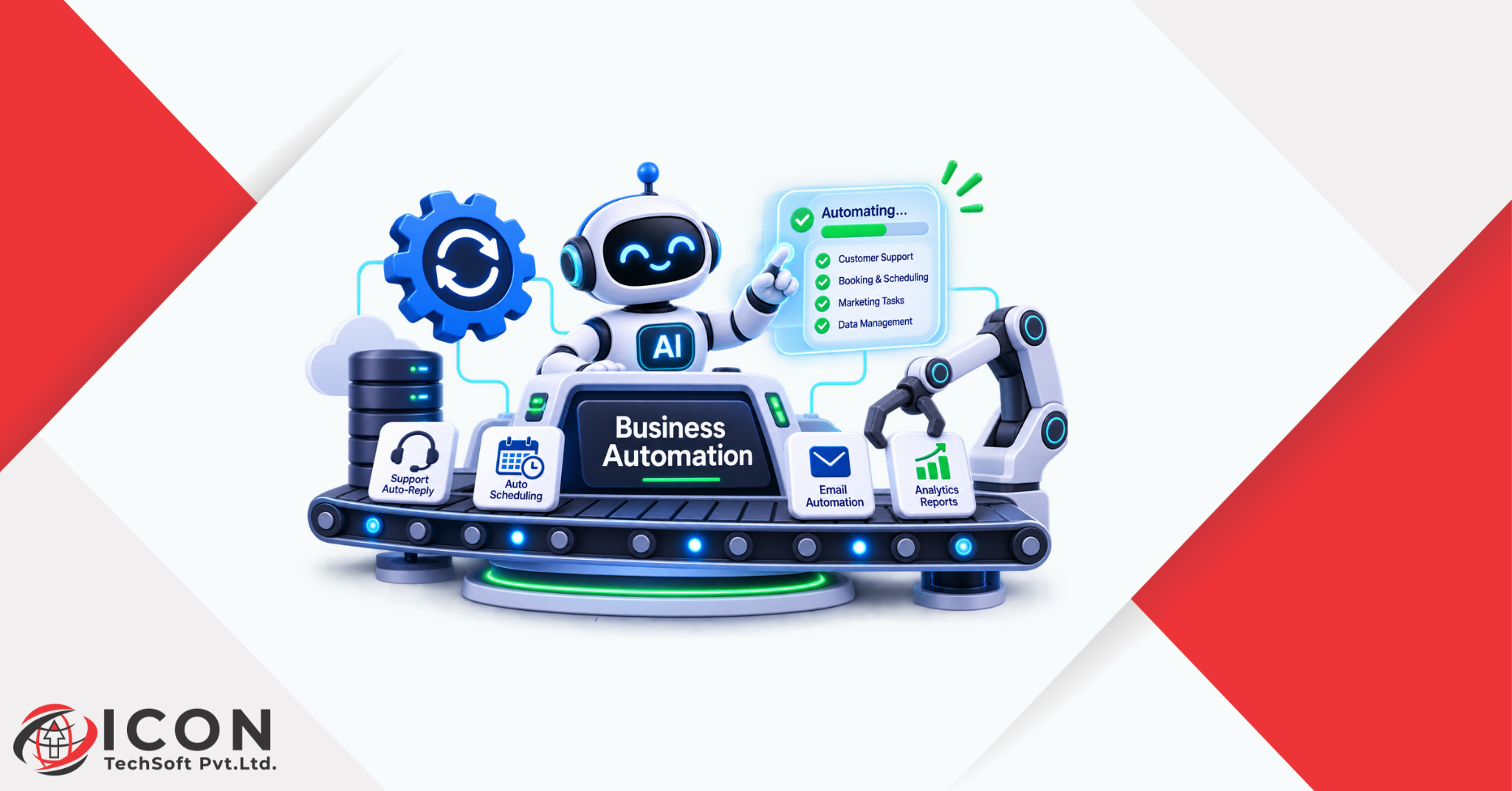
Every business has work that nobody enjoys doing. Copying data from one sheet to another. Sending the same follow-up email for the tenth time. Chasing approvals. Sorting invoices. These tasks eat up hours each week, and they rarely add real value to the company.
This is where business automation steps in. Business automation means using software to handle repeated tasks so your team does not have to do them by hand. It has been around for years, but it used to be rigid. You had to write strict rules, and if anything changed, the system broke.
Today, things look different. With artificial intelligence, business automation has become smarter and far more flexible. AI business automation can read emails, understand what a customer wants, sort documents, predict demand and even make simple decisions on its own. It does not just follow a script. It learns from data and gets better with time.
The result is that companies of all sizes, from small startups to large enterprises, can now use business automation to save time, cut costs and serve customers faster. A small online store can reply to customer questions at midnight. An accounting team can process hundreds of invoices in minutes. A sales team can know which lead to call first.
In this guide, we will explain what AI-powered business automation is, how it works, which tasks you can automate today, which tools are worth looking at, and how to get started without making costly mistakes. If you have ever wondered what your business can hand over to software, this article is for you.
Business automation is the use of technology to complete tasks and processes with little or no human effort. Think of a simple example. When a customer fills out a contact form on your website, an automated system can save their details, send a thank-you email and alert your sales team. Nobody had to type anything.
You may also hear the term business process automation. It means the same idea, but it focuses on whole processes instead of single tasks. A process is a series of steps that leads to a result, such as hiring a new employee, approving a purchase or delivering an order. Business process automation connects those steps so that work moves forward by itself.
The main goals of business automation are easy to understand:
Traditional automation works on fixed rules. If this happens, do that. For example, if an invoice amount is above a certain number, send it to a manager. This approach is useful, but it has limits. It cannot handle messy data, unclear requests or situations the rules did not plan for.
AI business automation is different. It can work with unstructured information such as emails, chat messages, PDFs, voice calls and images. It can understand context. It can also learn from past results and adjust.
Here is a simple comparison:
Neither type of business automation is always better. Many companies use both together. Simple rule-based steps handle the predictable parts, and AI takes care of the parts that need understanding.
AI adds three important abilities to business automation. First, it can understand language. This means it can read a customer complaint and know whether the person is angry, confused or just asking a question. Second, it can spot patterns. It can notice that certain leads turn into buyers or that a machine is likely to fail soon. Third, it can make predictions and suggest the next best action.
This is why many people now talk about intelligent business automation. The system is not only doing the task. It is thinking, in a limited way, about the best way to do it.
If you are new to the topic, you may be asking how AI automation works in business behind the scenes. You do not need a technical degree to understand it. The process usually has three parts.
Everything in AI automation starts with data. AI systems collect information from the tools your business already uses, such as your CRM, email inbox, website, accounting software, support desk and spreadsheets. The more good data the system can see, the better it performs.
Once the data is collected, AI analyzes it. It looks for patterns, groups similar items and finds anything unusual. For example, it may notice that customers who ask about delivery times often cancel their orders if they do not get a quick answer. That insight can then shape how the automation responds.
Clean data matters a lot here. If your records are full of duplicates and wrong entries, the AI will learn from bad information. Many companies spend their first few weeks just tidying their data, and that time is well spent.
After analyzing the data, the AI decides what to do. This is the step that makes AI workflow automation different from older tools. Instead of following one fixed path, the system can choose between several options based on what it sees.
Here are a few simple examples:
For tasks with low risk, the AI can act on its own. For tasks with higher risk, it can prepare everything and ask a person to approve the final step. This balance is very important, and we will return to it later.
Good business automation does not live alone. It connects with your other tools so that information moves smoothly between them. This is what AI-powered workflow management is about. Your CRM, email, calendar, accounting system and chat tools all talk to each other, and the AI sits in the middle guiding the flow.
Over time, the system keeps learning. When a person corrects a mistake, the AI notes it. When a certain type of email always gets a certain type of answer, the AI starts to suggest that answer. Slowly, the workflow becomes faster and more accurate. This is the biggest strength of AI workflow automation and business automation powered by AI. It does not stay still.
This is the question most business owners care about. What business tasks can AI automate right now, without waiting for future technology? The answer is a lot. Below are the areas where AI automation for businesses is already working well.
Customer service is one of the easiest places to begin with business automation. AI chatbots can answer common questions about pricing, shipping, returns and account issues at any time of day. They can also collect the customer’s details before passing the chat to a human agent, so the customer does not need to repeat themselves.
AI can also sort incoming tickets by topic and urgency, suggest replies to agents, and summarize long email threads. Some businesses use voice AI to answer simple phone calls. The benefit is faster replies and shorter waiting times, even during busy seasons.
Sales teams spend a surprising amount of time on admin work. AI business automation can take over much of it. It can capture leads from your website and social media, add them to your CRM, and score them by how likely they are to buy. It can send follow-up emails at the right time and remind the salesperson when a deal has gone quiet.
AI can also write meeting notes, update deal stages automatically and forecast monthly revenue. This gives your sales team more time to talk to real people, which is where deals are actually won.
Marketing has many repeating tasks, and AI business automation fits them well. It can schedule social media posts, segment email lists, personalize email content and track campaign results. It can also suggest the best time to post, flag content that is performing well and help with first drafts of copy.
For content teams, AI can help with keyword research, outlines, meta descriptions and image ideas. A human should always review and improve the final result, but AI can remove much of the slow groundwork.
Finance work is full of repeated steps, which makes it perfect for business automation. AI can read invoices and receipts, extract key details, match them to purchase orders and flag anything that looks wrong. It can send payment reminders, sort expenses into categories and help prepare monthly reports.
It can also detect unusual transactions that may point to fraud or errors. This saves hours of checking and lowers the chance of costly mistakes.
Human resources teams can use AI to screen resumes, schedule interviews, send onboarding documents and answer common employee questions about leave and policies. AI can also help track attendance, manage leave requests and remind managers about reviews.
The human side of HR should stay human. But the paperwork and scheduling around it is a great candidate for business process automation.
AI can track stock levels in real time and predict when you will run out of a product. It can suggest reorder quantities based on past sales, seasons and trends. It can also compare supplier prices, track shipments and warn you about delays.
For retail and manufacturing businesses, this means fewer empty shelves, less extra stock sitting around and smoother deliveries.
Data entry is the classic example of business automation. AI can read forms, emails and scanned documents and put the right information into the right fields. It can also schedule meetings, sort files, create reports and send reminders.
These tasks are small on their own, but together they take up a huge share of the working week. Handing them to AI is often the quickest win in any business automation project.
Why are so many companies investing in business automation? Because the benefits are clear and measurable.
When software does the repeated work, you need fewer hours of manual effort. This does not always mean fewer employees. Often it means the same team can handle more work without extra hiring. Over time, this lowers operating costs and makes growth easier to manage.
Business automation keeps tasks running in the background, around the clock. They do not get tired, distracted or stuck waiting for someone to come back from lunch. With business process automation, work moves from one step to the next without delay. Teams can then spend their energy on planning, creative thinking and building relationships.
AI can study large amounts of data in seconds and show you what matters. Instead of waiting for a weekly report, you can see sales trends, stock levels or customer problems as they happen. Quicker insight leads to quicker action, which can give you an edge over slower competitors.
Customers like fast and clear answers. With intelligent business automation, replies are quick, follow-ups are on time and information is consistent. People also feel more cared for when messages are personal and relevant, and AI can help you do this at scale.
Even careful people make mistakes when they do the same task over and over. A wrong digit in an invoice or a missed follow-up can cost money and trust. Automation follows the same steps every time, so errors drop sharply. When something does look strange, the system can flag it for review.
There are many business automation tools on the market, and new ones appear every month. Instead of listing brand names that may change, it is more useful to understand the main types of tools.
These tools talk to customers or employees in plain language. They handle common questions, book appointments, take orders and pass difficult cases to humans. They work on websites, apps and messaging platforms. For small businesses, a chatbot is often the first and cheapest step into AI automation.
A CRM keeps track of customers and sales, while an ERP manages internal operations like inventory, accounting, purchasing and production. When AI is built into these systems, they can score leads, predict demand, suggest actions and automate routine entries. Platforms such as Odoo are popular because they combine many business functions in one place, which makes automation much easier to set up.
These tools connect different apps and let you build automated flows without heavy coding. For example, when a form is submitted, the platform can create a CRM record, send an email and post a message to your team chat. Many now include AI steps that can read, summarize, classify or write text inside the flow. They are very useful for AI workflow automation across tools that were never designed to work together.
RPA uses software bots that copy the clicks and keystrokes a person would make. A bot can log into a system, copy data, paste it somewhere else and generate a report. RPA is great for old systems that have no easy way to connect. When combined with AI, these bots can also read documents and handle exceptions instead of stopping at the first surprise.
AI agents are the newest category. Instead of following a single flow, an agent is given a goal and can plan steps, use different tools and adjust when something goes wrong. For example, an agent might research a lead, write a personal email, add it to the CRM and set a reminder. This is a big step forward for intelligent business automation, though it still needs clear limits and human supervision.
Starting with business automation does not need to be complicated. A step-by-step approach works best, and it protects you from wasting money on tools you do not need.
Begin by listing the tasks your team does again and again. Ask your staff which parts of their day feel like a waste of time. Good candidates usually share these traits:
Pick one or two tasks to start your business automation journey. Trying to automate everything at once is a common reason for failure.
Once you know the task, look for tools that solve that exact problem. Consider your budget, your team’s skill level, and how well the tool connects with the software you already use. Read reviews, ask for demos and try free trials where possible. For small businesses, simple and affordable business automation tools are usually better than large systems with features you will never touch.
Business automation works best when your tools share information. Connect your CRM, email, accounting software and other systems so that data flows without manual steps. If your systems are old or do not connect easily, you may need help from a developer or an IT partner. This step is where many projects slow down, so plan for it early.
Never switch on a new automation for everything at once. Start with a small test group or a limited set of tasks. Watch the results closely. Check whether the AI is making the right choices and whether customers or employees are happy. Fix problems early, then slowly expand.
Decide in advance how you will measure success. Useful numbers include hours saved per week, response time, error rate, cost per task and customer satisfaction. Compare these numbers before and after automation. If the results are good, expand to the next process. If not, adjust or try a different approach.
AI-powered business automation is powerful, but it is not magic. Knowing the challenges ahead of time helps you avoid them.
Automation tools often handle customer details, payment information and private company records. You must make sure your tools follow data protection rules and store information safely. Choose trusted providers, control who has access and review privacy policies carefully. This is especially important if you serve clients in regions with strict laws.
Older software may not connect easily with modern AI tools. Data may be stored in different formats across different places. This can make setup slow and sometimes expensive. A clear plan and an experienced technology partner can make this much smoother.
There are costs for software, setup, training and sometimes consulting. For small businesses, this can feel heavy at first. The key is to start small, focus on tasks with a clear return, and grow step by step. Many companies see their savings cover the cost within months.
Some employees worry that automation will take their jobs. Others simply find new tools confusing. Be open about your goals. Explain that automation is there to remove boring work, not to replace people. Offer training and listen to feedback. Teams that feel involved usually adopt new systems much faster.
AI can make mistakes. It can misread a message, give a wrong answer or follow a pattern that no longer makes sense. That is why human oversight is so important. Keep people in the loop for important decisions, such as large payments, legal matters and sensitive customer cases. Review the system’s work regularly and keep a way for people to step in at any time.
The next few years will bring big changes to business automation. AI agents will become more capable and will handle longer and more complex tasks across many tools. Instead of automating single steps, business automation will cover entire workflows from start to finish, with people checking only the key points.
Voice and image understanding will also improve. Systems will be able to read handwritten notes, understand photos of damaged goods and join phone calls with natural conversation. Predictive features will get sharper too, helping companies plan stock, staffing and cash flow with more confidence.
At the same time, tools will become easier to use. You will not need a technical team to build a workflow. You will simply describe what you want in plain language, and the system will set it up. This will bring AI-powered workflow management within reach of even the smallest companies.
There will also be more focus on responsible use. Rules about data, fairness and transparency are growing around the world. Businesses that build good habits now, such as keeping humans involved and protecting data, will be better prepared for what comes next.
The main point is simple. Business automation is not a trend that will fade. It is becoming a normal part of how companies operate, much like the internet or email did in earlier years.
AI has changed what business automation can do. It is no longer limited to rigid rules and simple tasks. Today, businesses can automate customer support, lead management, marketing work, accounting, hiring steps, inventory planning and daily admin, all through AI-powered workflow management that learns and improves.
The benefits of business automation are real: lower costs, faster work, fewer mistakes and happier customers. But success depends on a careful approach. Start with a small, clear problem. Choose tools that fit your needs. Keep your data clean and secure. Train your team, and always keep a human in charge of the important decisions.
So, is your business ready? If your team spends hours on repeated tasks, if customers wait too long for answers, or if you feel stuck doing work that software could do, the answer is probably yes. You do not have to transform everything at once. Pick one process, automate it well, measure the results and build from there.
If you need help planning or building your first workflow, working with an experienced technology partner can save you time and avoid costly trial and error. The sooner you begin, the sooner your team can stop doing the boring work and start doing the work that truly grows your business.
AI-powered business automation is the use of artificial intelligence to handle tasks and processes that people used to do manually. Unlike older automation that follows fixed rules, AI can read text, understand context, learn from data and make simple decisions. Examples include chatbots that answer customers, tools that sort invoices and systems that score sales leads.
Here is how AI automation works in business, in three main steps. First, the system collects data from your business tools. Second, the AI analyzes that data and decides what action to take. Third, it carries out the task and connects with your other systems, learning from results over time. People can review or approve important steps along the way.
AI automation for businesses can handle customer support replies, lead scoring, email follow-ups, social media scheduling, invoice processing, expense tracking, resume screening, interview scheduling, inventory forecasting, data entry, report creation and many other repeated tasks. In general, tasks that are frequent, pattern-based and time-consuming are the best fit.
Traditional automation follows set rules and needs structured data. It works well for simple, predictable tasks but struggles when things change. AI automation can understand unstructured information like emails and documents, learn from experience and handle more complex situations. Many businesses use both together for the best results.
Small businesses usually do best with simple, affordable business automation tools. AI chatbots for customer questions, workflow platforms that connect apps without coding, and all-in-one CRM or ERP systems with built-in automation are good starting points. Choose tools that fit your budget, connect with your current software and are easy for your team to learn.
Yes, in many cases AI can automate a process from start to finish, such as invoice handling or lead follow-up. However, it is wise to keep human review for high-risk steps like large payments, legal matters and sensitive customer issues. The best results come from AI and people working together, each doing what they do best.