
-
Gujarat, India
- info@icontechnology.in
- 24/7 Customer Support
Gujarat, India
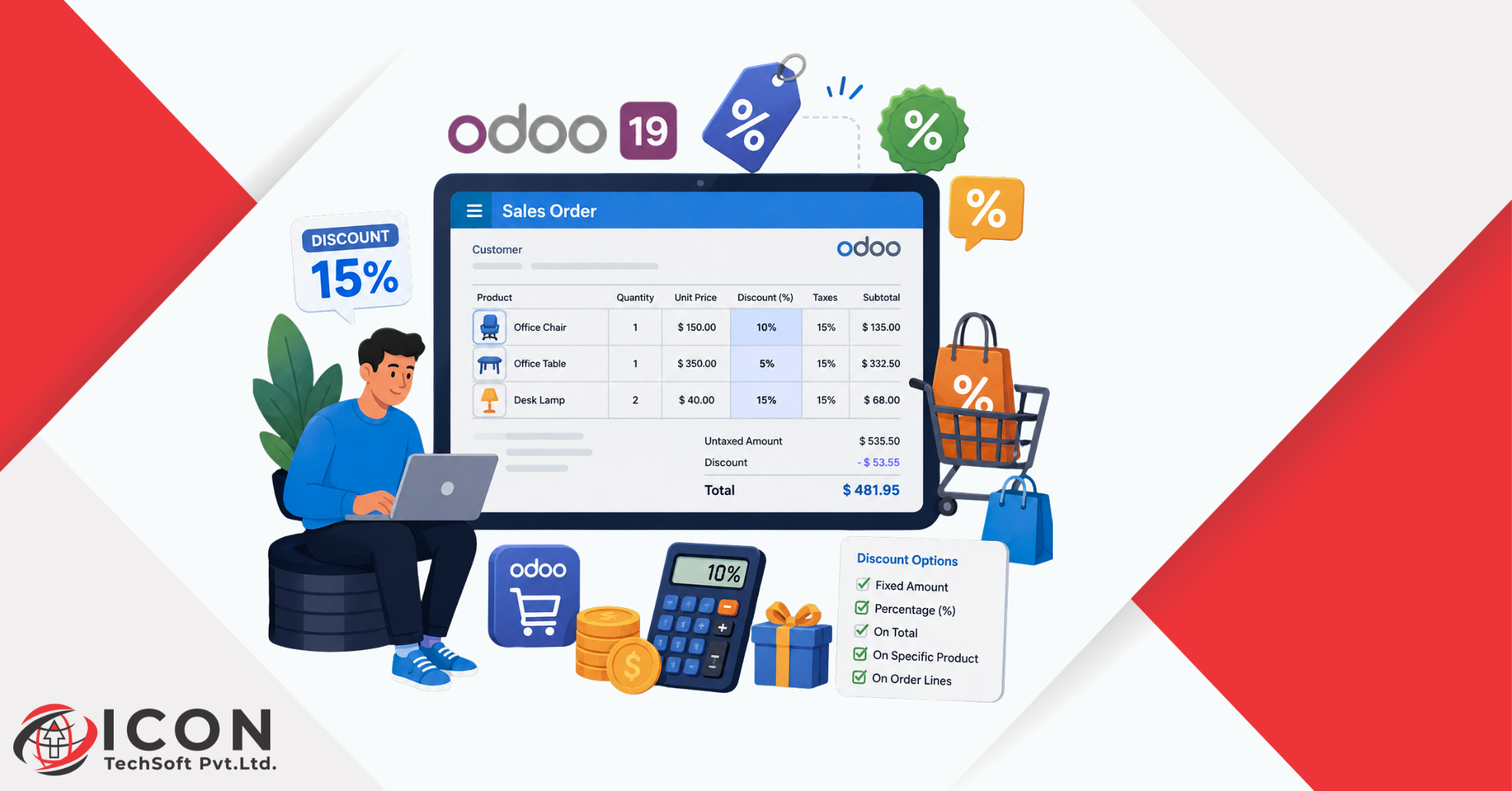
Offering discounts is a common sales strategy that helps businesses attract customers, boost conversions, and strengthen customer relationships. Odoo 19 simplifies discount management by allowing users to apply percentage-based discounts directly within quotations and sales orders.
With the built-in discount feature, sales teams can quickly adjust product pricing without manually modifying unit prices, ensuring greater accuracy and consistency across transactions. Users can apply discounts to individual products on a quotation or sales order, and Odoo automatically recalculates subtotals, taxes, and the overall order value. This functionality is particularly useful for businesses running promotional campaigns, offering seasonal deals, rewarding loyal customers, or negotiating special pricing with clients. By automating discount calculations, Odoo helps reduce errors, saves time, and provides a seamless experience throughout the sales and invoicing process.
In this blog, we will explore how to configure and apply discounts in Odoo 19 Sales.
Before applying discounts to quotations or sales orders, enable the Discount feature in the Sales module.
Follow the steps below:
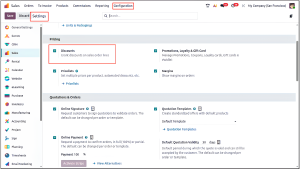
Once the Discounts feature is activated, a Discount (%) column becomes available in quotations and sales orders, allowing users to apply discounts directly to individual products.
Once the Discounts feature has been enabled and saved, a Discount button will appear on the quotation and sales order form. To explore its functionality, create a new quotation by selecting a customer and adding the necessary products to the order lines. After entering the required details, click the Discount button to apply a discount using one of the available discount options.
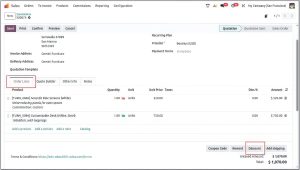
The On All Order Lines option applies the specified discount percentage to every product included in the quotation or sales order. This is useful when you want to offer the same discount across all products without updating each order line individually.
Follow the steps below:
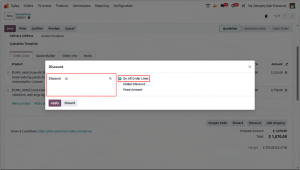
6. Odoo automatically applies the specified discount percentage to all products in the order.
7. The Disc.% column on each order line will be updated accordingly.
8. The order total will be recalculated automatically to reflect the discount.
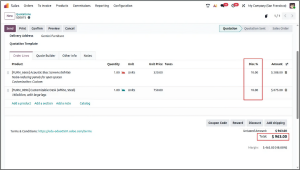
This method simplifies the discounting process and applies a consistent discount across the entire quotation or sales order.
The Global Discount option applies a percentage discount to the overall quotation or sales order amount instead of applying the discount individually to each product line. This option is useful when businesses want to offer a single discount on the entire order value.
Follow the steps below:
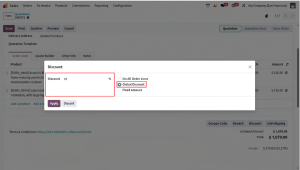
6. Odoo automatically calculates the discount based on the total order value.
7. A separate discount line is added to the quotation showing the discount amount.
8. The final order total is updated after deducting the discount.
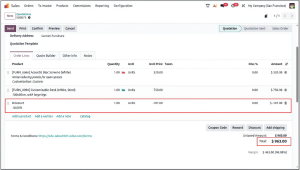
This option is particularly useful for promotional offers, seasonal discounts, or customer-specific deals where businesses apply a single discount percentage to the entire order.
The Fixed Amount option allows users to deduct a specific monetary value from the total quotation or sales order amount. Unlike percentage-based discounts, this method applies a fixed discount regardless of the order value.
Follow the steps below:
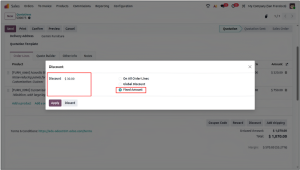
6. Odoo automatically deducts the specified amount from the quotation total.
7. Odoo adds a separate discount line to the quotation and displays the deducted amount.
8. Odoo automatically calculates and displays the revised total amount.
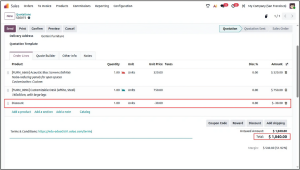
This option is particularly useful when businesses want to offer a predetermined discount amount as part of a promotion, special offer, or customer-specific agreement.
Discount management in Odoo 19 provides businesses with flexible pricing options to meet different sales requirements. Whether applying a discount to all order lines, offering a percentage-based discount on the entire order, or deducting a fixed amount from the quotation total, Odoo makes the process simple and efficient.
By enabling and utilizing the Discounts in Odoo 19 Sales feature, organizations can create targeted promotional offers, improve customer satisfaction, and maintain accurate pricing throughout the sales process. The built-in discount functionality helps sales teams apply discounts quickly while Odoo automatically and accurately calculates quotation totals and invoices.